Governance

The controls that let you say yes

Scope exactly what each person and agent can do and audit it in one place.

Trusted by 90% of the Fortune 100

  • Schaeffler
  • Cisco
Capabilities

An agent never gets more access than
 the person who connected it

Airtable governs agents with the same permission model, the same admin panel, 
and the same audit log you already use for people.

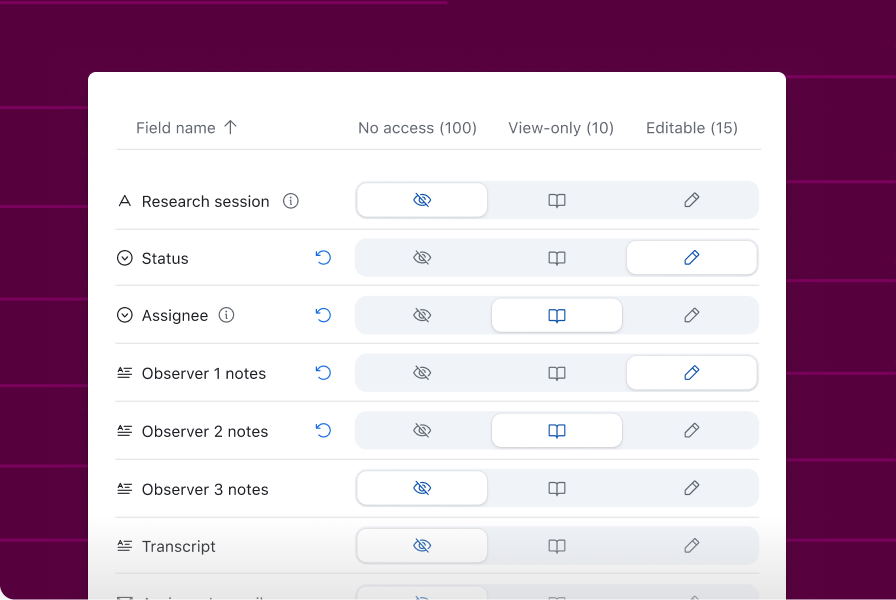
  • Access

    Scope what each person and agent can read and edit down to the field level.
    Access
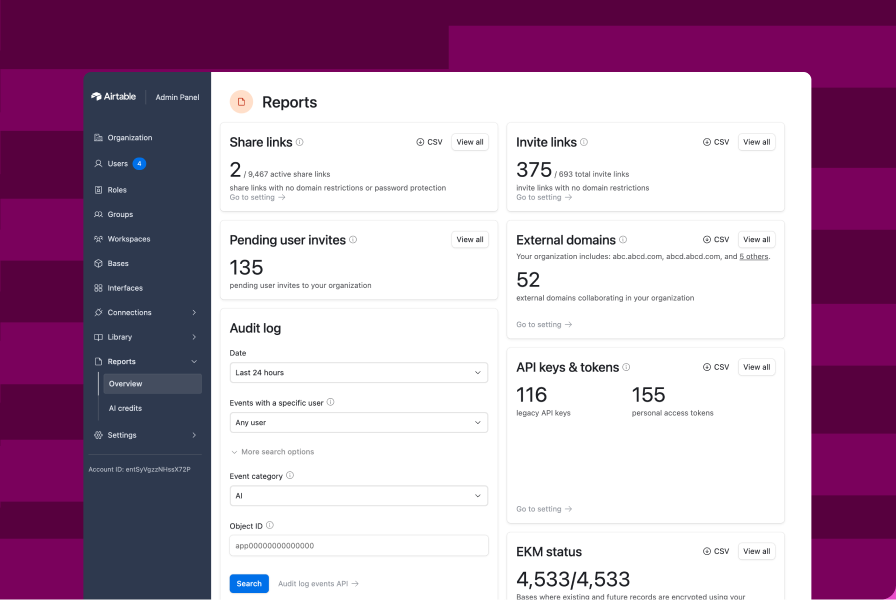
  • Administration

    Control workspaces, apps, and where AI and MCP are turned on, from one admin panel.
    Administration
  • Visibility

    Every action, human or agent, attributed in the same audit log.
    Visibility

Scale without 
splitting the data

Keep up to 100M records in one table Give teams and agents one shared source of data with HyperDB.
Scale your data

“We've enabled agents to handle the data and admin, so our people can carry the soul of the music.”

Warner Music Group

See how teams scale successfully with Airtable

Dive deep into resources that prove how Airtable drives business outcomes while scaling across your organization.


Explore the Airtable platform

Learn how Airtable can help you reach ambitious outcomes.

  • Get an overview of the platform

    Get an overview of the platform

    Unlock the power of a next-gen app-building platform
  • Build tailored apps quickly and easily

    Build tailored apps quickly and easily

    Enable teams to build custom business apps—no code needed
  • Embed AI directly into your workflows

    Embed AI directly into your workflows

    Transform business workflows with the power of AI
  • Make high-value data accessible and secure

    Make high-value data accessible and secure

Frequently asked questions

Airtable provides controls for administering users, managing data access, reviewing supported activity, and overseeing programmatic credentials. Availability varies by plan, feature, and deployment.

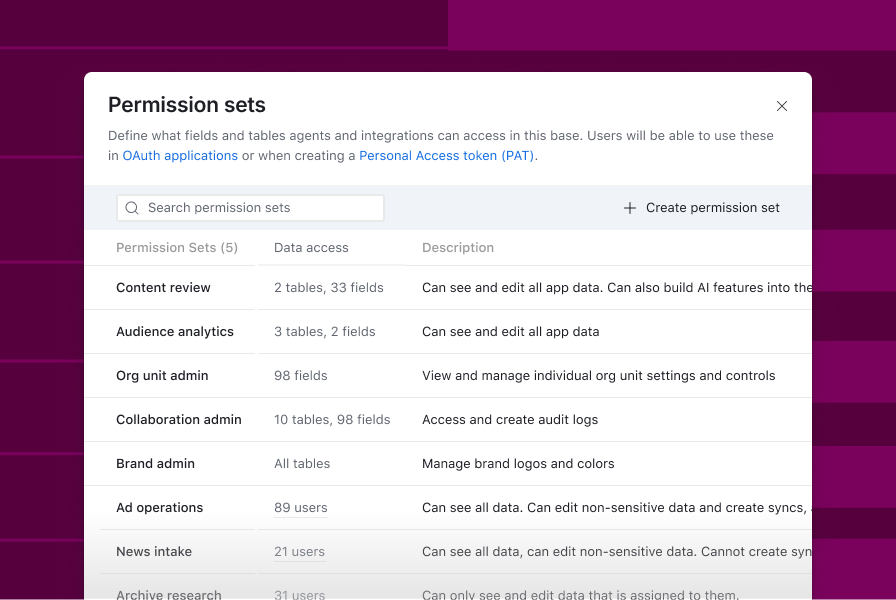
Permission sets scope what an agent can read and edit, down to the field. Admins decide where AI is enabled, and can block MCP access across the organization or an org unit.

No. An agent inherits the permissions of the person who connected it and never exceeds them.

Permission Sets provide finer access controls for supported connections. Consult the current documentation for the supported table, field, and row options; availability depends on the released scope.

Yes. Agent actions are attributed in the same enterprise audit log your admins already use for people, so you can see what an agent did and on whose authority. Additional agent activity types continue to roll out.

Yes. Organization admins can block MCP access using the existing admin control. More granular connection controls have their own availability and configuration.

Enterprise admins can review and revoke supported credentials using programmatic-access controls. Check which credential types and administrative actions are included in your release.

No. Model providers never retain your data and it is never used for model training. With Amazon Bedrock, model providers never need to touch your data.

Feature coverage and terms can differ for beta products. Review the documentation and terms for the specific beta before enabling it. Do not assume enterprise controls apply identically across every Airtable experience.